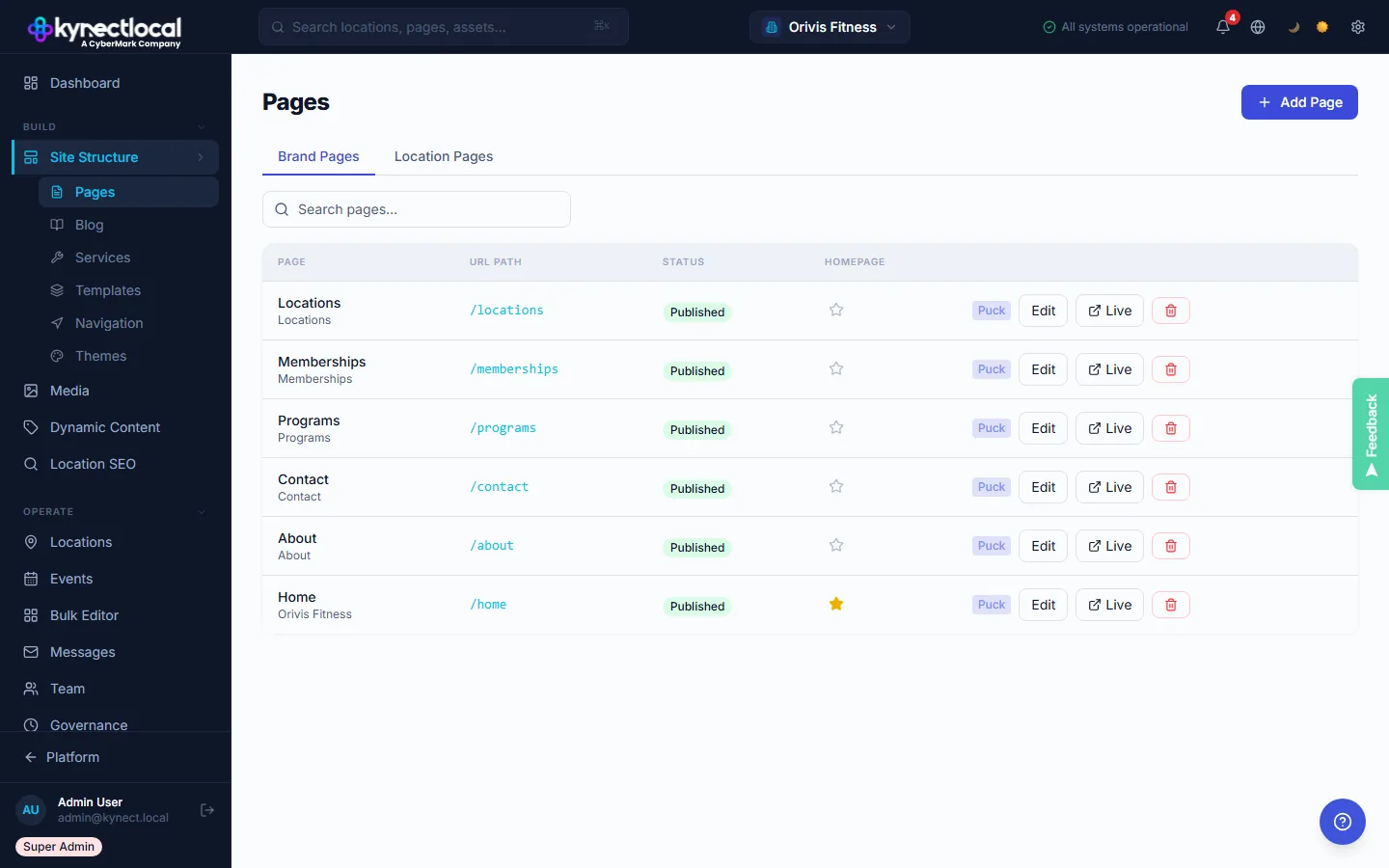
Every page in your network, managed from one place.
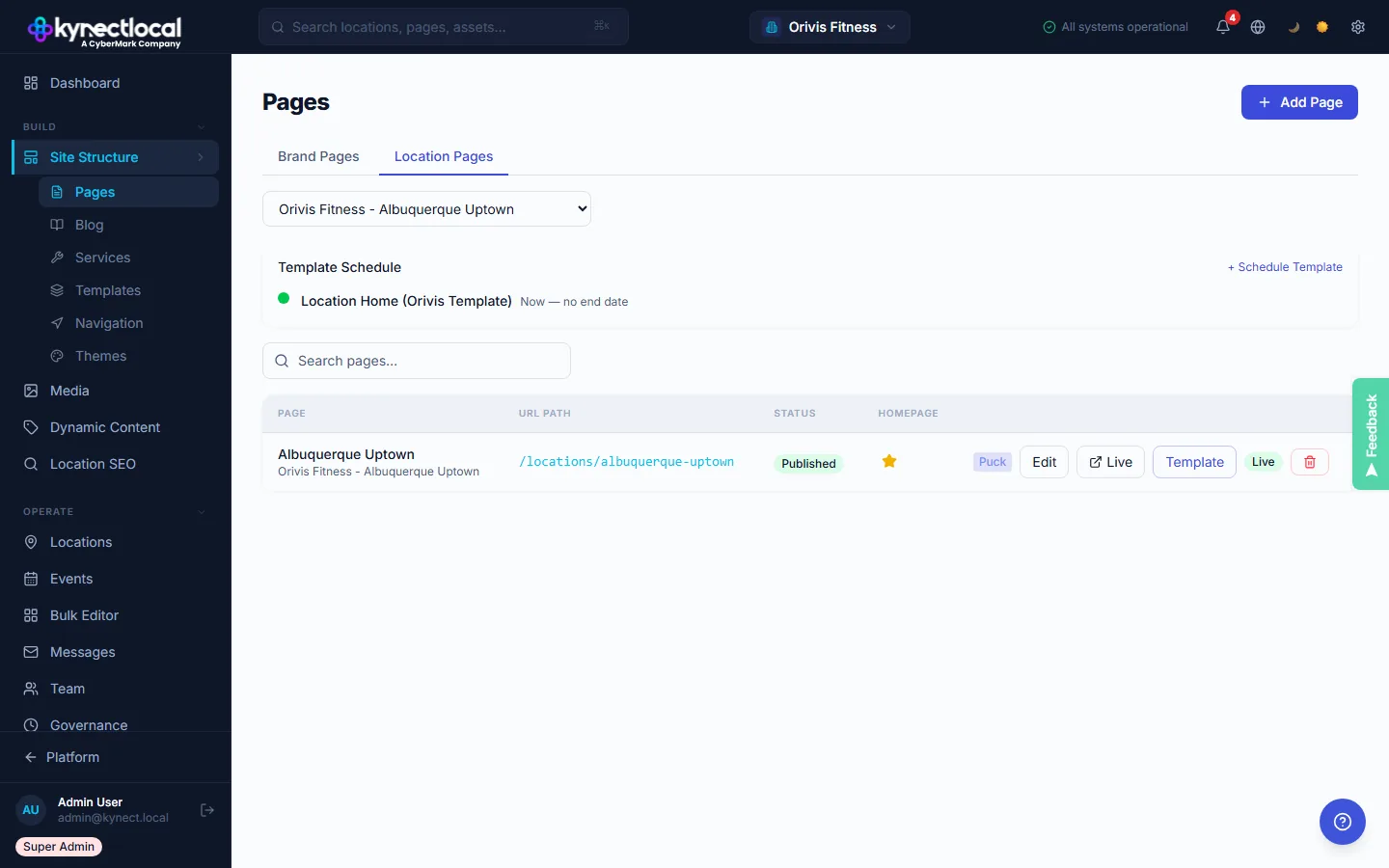
The Pages view shows every page across your brand, with brand-level pages and location pages in separate tabs. See publish status at a glance. Open any page in the Puck editor with one click. Location pages inherit their assigned template and can be individually managed.
- →Brand pages and location pages in separate tabs.
- →Publish status (Draft/Published/Scheduled) visible per page.
- →One-click editor access for any page in the network.
- →Template assignment shown per page.
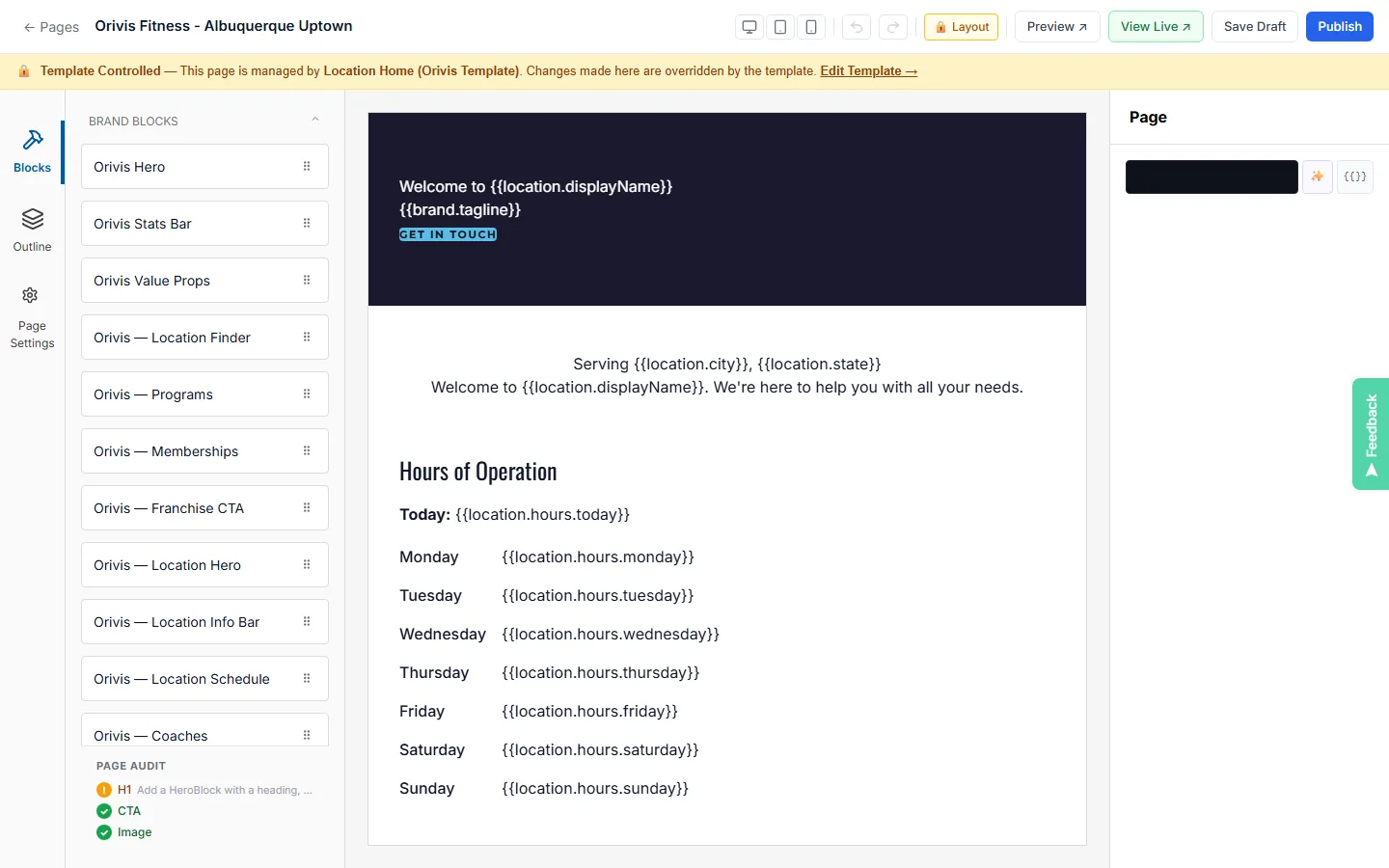
Drag-and-drop blocks. Visual output. Schema included.
The Puck editor splits the workspace into three panels: a block palette on the left, a live-preview canvas in the center, and settings on the right. Every block you place generates the right semantic HTML and structured data automatically. There is no code view. There is nothing it can't represent.
- →Left panel: Blocks, Outline tree, Page Settings.
- →Center canvas renders exactly as it will live.
- →Viewport toggle: Desktop / Tablet / Mobile.
- →Page SEO settings (title, meta, noindex) per page.
Brand locks the structure. Franchisees work within it.
Content Zones are the governance layer inside every template. Brand admins mark sections as brand-locked (not editable) or franchisee-editable (they can change text, images, and content). Franchisees see their version in the same Puck editor. They cannot move, delete, or add blocks outside their allowed zones.
- →Per-section lock toggle for every block.
- →Franchisees only see their editable zones.
- →Lock the layout, open the content.
- →No rogue structure changes.
Built for control at scale
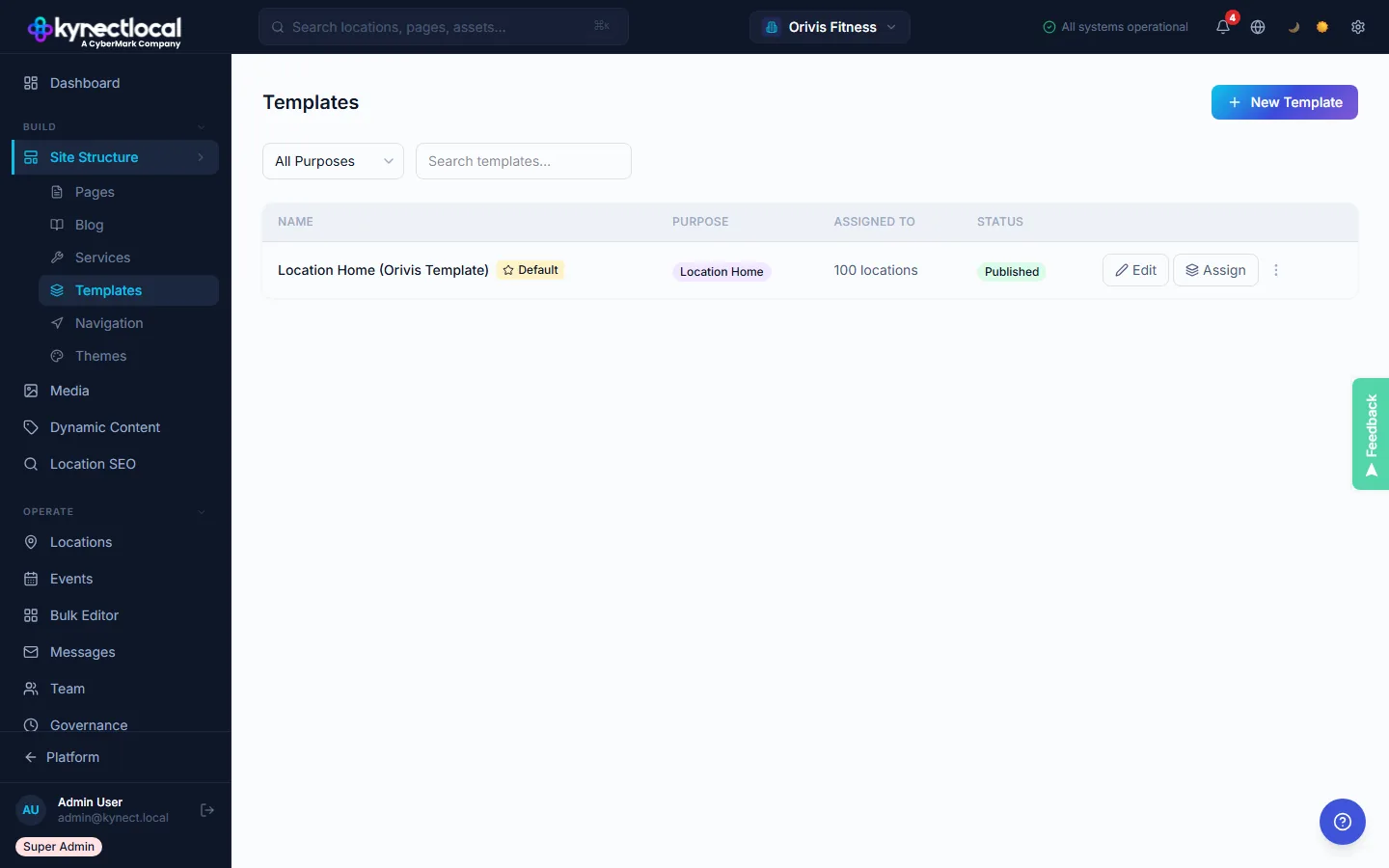
Brand templates, at scale
Corporate builds master templates. Lock what matters. Let franchisees edit within clearly defined bounds.
Content Zones
Drag-and-drop sections are either brand-locked or franchisee-editable. No ambiguity about what's controlled and what's not.
Schema built in
Every location page generates LocalBusiness, FAQPage, and Breadcrumb schema automatically. No developer required, no configuration per page.
Scheduled template assignments
Swap to a seasonal campaign template on a set date. Auto-revert when the promotion ends. No manual rollback needed.
From template to live location page
Corporate designs the master template
Brand admins build page templates in the Puck visual editor, defining which blocks are fixed and which are editable by franchisees.
Content Zones set editing boundaries
Each section is designated brand-locked or franchisee-editable. Franchisees can only act within the zones corporate has authorized.
Every location page renders automatically
Dynamic tokens populate per-location details: name, address, phone, hours, services. Every page is unique without manual work per location.
One tool, built for every role in the network.
For Franchisors
Your template, your rules.
- Full template authorship. Every page starts from brand-approved designs.
- Lock brand-critical sections against any franchisee modification.
- Schedule campaign templates with auto-revert. No manual rollouts required.
- Schema generated for every page, consistently, without developer involvement.
For Franchisees
Edit your page. Stay on brand.
- Edit your designated content zones. What's editable is clearly marked.
- Pages are brand-consistent from day one. No setup required.
- Local information auto-populates: address, phone, hours, and services.
- No coding, no dev costs. Edit and publish from the admin dashboard.
See what KynectLocal costs for your network.
Per-location pricing with no seat limits. Build a custom estimate in about two minutes.