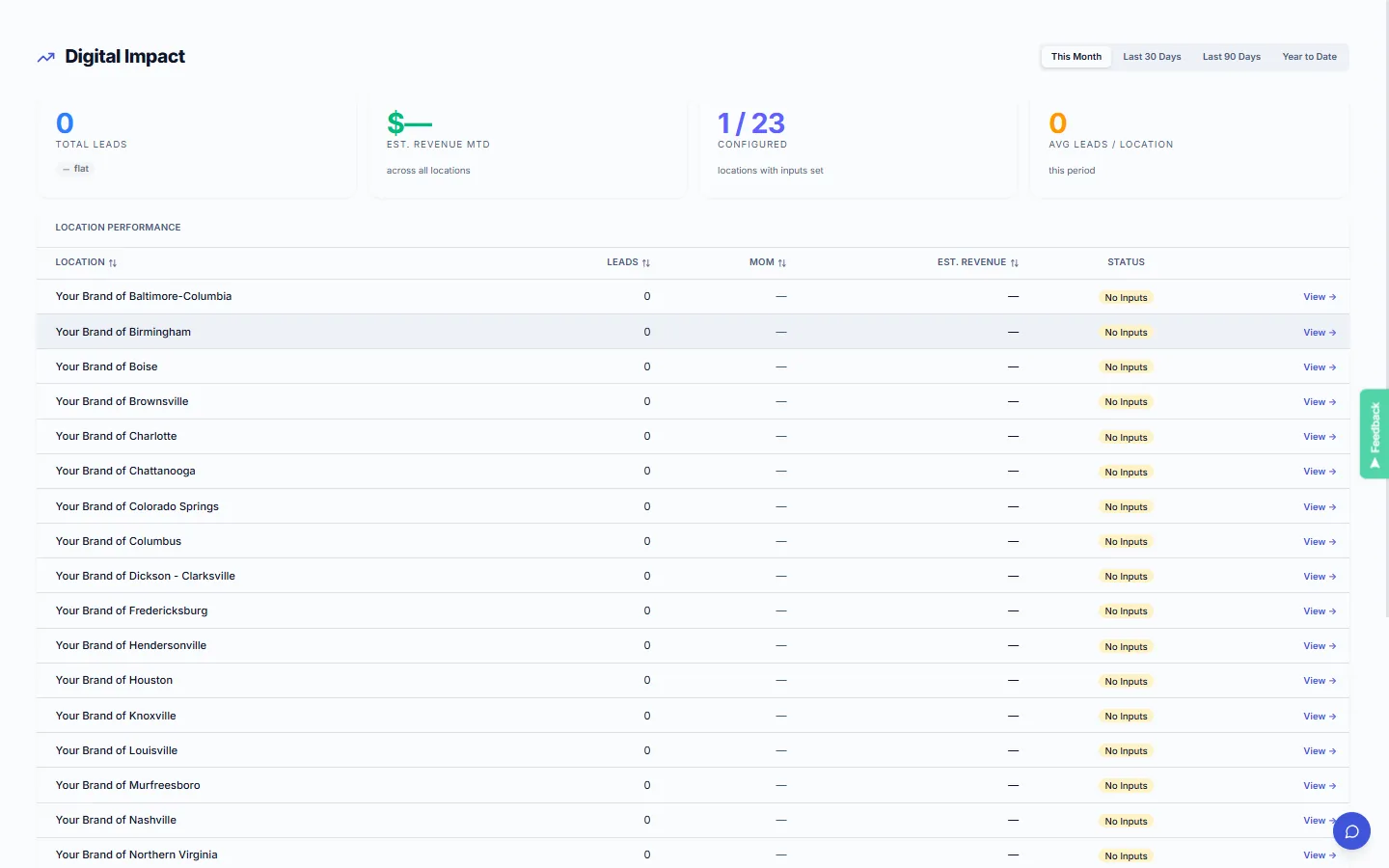
Every location ranked by estimated digital revenue.
The Digital Impact table lists all locations with core metrics side by side: total leads MTD, estimated revenue MTD, month-over-month change, and attribution status. Sort by any column to find your highest-performing and highest-opportunity locations.
Your numbers.
Not industry averages.
Digital Impact uses business inputs you configure: average ticket size, close rate, baseline star rating, and trailing 90-day revenue. Combined with platform signals: form leads, click-to-call events, direction requests, Google rating lift, and online bookings: the model estimates what your digital presence is worth per location per month.
- →Average ticket, close rate, baseline rating, trailing revenue: set by you
- →5 signal sources, each with a confidence rating (High / Medium / Low)
- →Monthly, quarterly, and annual views
- →No false precision: the model shows what it knows and what it estimates
What Digital Impact does
Traffic is not revenue. But digital signals do correlate to revenue: when structured correctly and grounded in your own business inputs, not generic benchmarks.
Revenue attribution model
Combines form leads, click-to-call, direction requests, review lift, and bookings into an estimated monthly revenue figure per location using your business inputs.
Business inputs you control
Set your average ticket size, close rate, baseline star rating, and trailing 90-day revenue. Your numbers anchor the model: not generic category benchmarks.
Confidence levels
Each signal source carries a confidence rating: High (form leads, click-to-call), Medium (direction requests, review lift), Low (indirect). No false precision.
Network performance table
All locations ranked by total estimated impact. Identify high-traffic underperformers and high-converting low-traffic locations worth investing in: side by side.
Inputs in, revenue estimates out
Configure your business inputs
Set your average ticket size, close rate, trailing 90-day revenue, and baseline star rating. These inputs anchor the attribution model to your actual business economics, not generic category data.
Connect your analytics and lead capture
Digital Impact reads signals automatically from connected analytics (GA4 or Matomo), lead forms, click-to-call tracking, and review platforms. No manual data entry.
View the per-location ranking table
The performance table ranks every location by total estimated revenue impact. Filter by date range, region, or location group. Click any location to see the signal breakdown and confidence levels.
Revenue visibility at every level.
Justify the infrastructure investment.
- →Network-level revenue attribution. See the estimated total digital contribution across all locations in one number.
- →Per-location performance ranking. Find the underperformers and overperformers, and understand why.
- →Confidence levels make it defensible. Present the attribution to franchisees and stakeholders without false precision.
See what your digital presence is worth.
- →Your location's estimated digital revenue contribution. A concrete number, not just traffic stats.
- →Lead and call attribution. See which signals are driving your estimate and how they are scored.
- →Month-over-month trend comparison. See whether your digital performance is improving, declining, or flat.
Related features
Analytics
The traffic layer that feeds Digital Impact. Network-wide visits, per-location detail, and promotion performance in one dashboard.
Explore →Lead Management
Form leads and click-to-call events are the highest-confidence signals in the Digital Impact model. Lead quality scoring matters here.
Explore →Integrations
Digital Impact reads signals from your connected analytics, review, booking, and lead platforms: all flowing through the Integrations panel.
Explore →See what KynectLocal costs for your network.
Per-location pricing with no seat limits. Build a custom estimate in about two minutes.