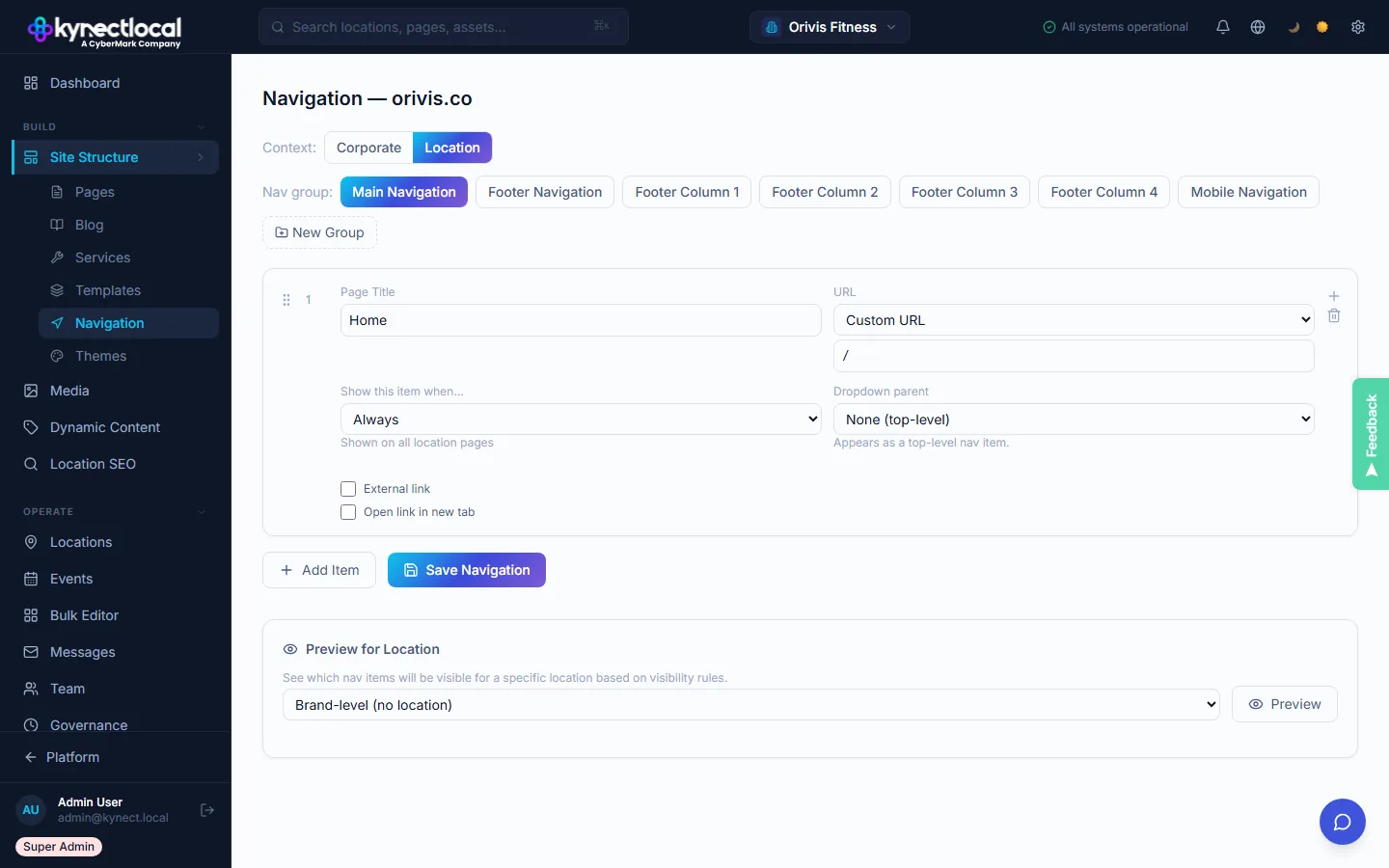
Build your brand's nav once. It applies to every location site.
The navigation editor shows nav groups in a drag-and-drop list: Main Navigation, Footer Navigation, and Footer Columns. Each item can be a page link, an external URL, or a conditional link that only appears when certain conditions are met. The editor shows a live preview scoped to a selected location.
- →Main Nav + Footer Nav in separate groups.
- →Per-item label, URL, and new-tab control.
- →Drag to reorder.
- →Corporate and Location contexts in separate tabs.
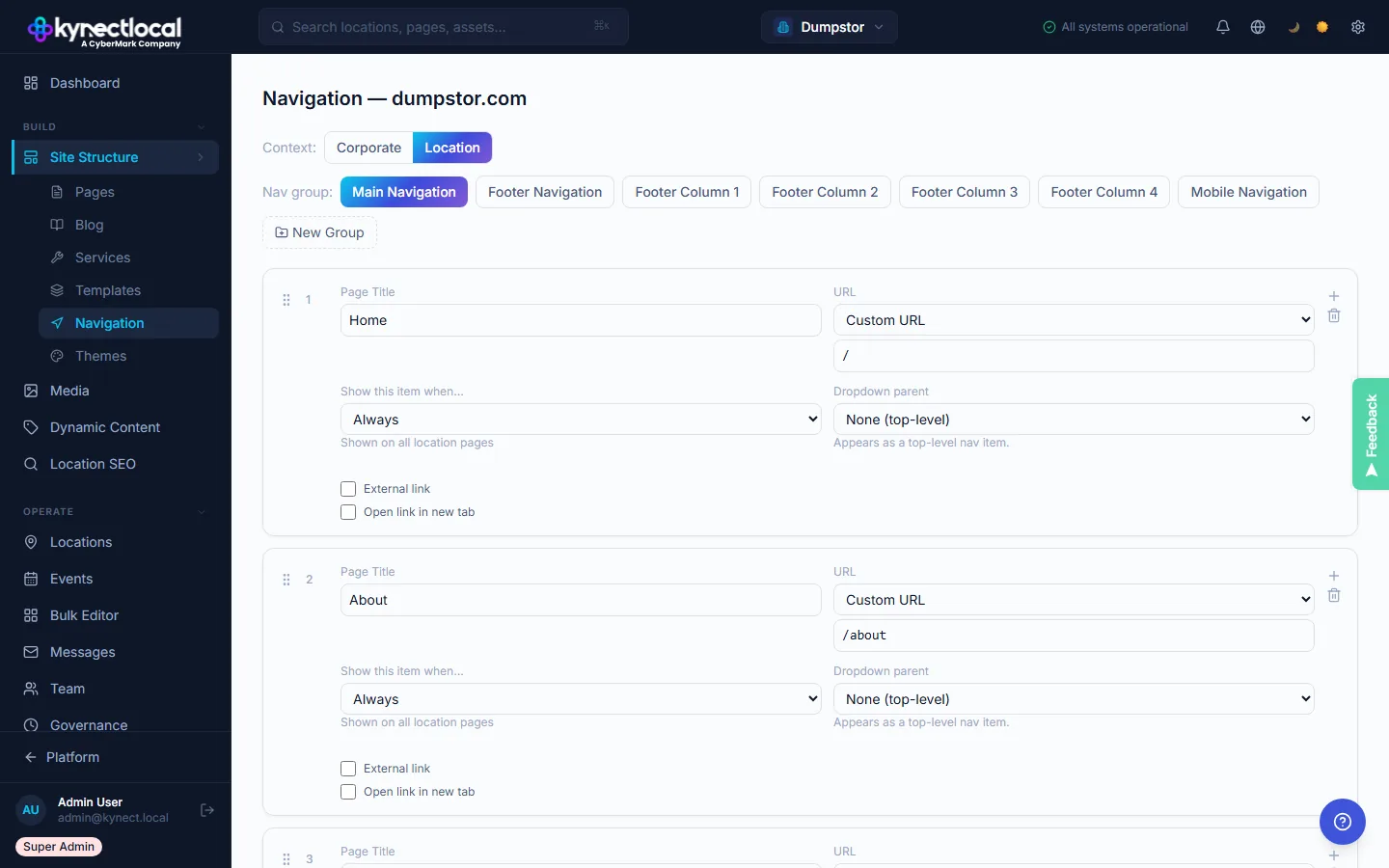
Show the Services link only for locations that have services.
Visibility conditions let brand admins create nav items that appear conditionally: always visible, only when the location has services enabled, only when a specific page exists, or never (hidden for franchisees). This means your standard navigation template works across every location, without requiring per-location nav customization.
- →Always / Location has services / Page exists / Never.
- →Works for header and footer nav items.
- →No per-location nav customization needed.
- →Conditions evaluated at render time.
See exactly how navigation renders on every viewport before it ships.
The Navigation editor includes a live preview panel that shows how the nav structure renders on desktop, tablet, and mobile, without leaving the editor. Mobile hamburger menus, dropdown behaviors, and sticky headers are previewed in real-time. Any change to the navigation tree immediately reflects in all three viewports.
- →Desktop / tablet / mobile preview in the editor panel
- →Live reflection of every tree change across all viewports
- →Mobile hamburger and sticky header behavior previewed
- →Publish pushes to all location sites simultaneously
Navigation that reflects brand standards at every location
Two navigation contexts
Manage corporate site navigation and location site navigation independently. Each context has its own structure, groups, and settings, with no cross-contamination.
Visibility conditions
Show nav items conditionally: always, when a location has services enabled, when a specific page exists, or never. Logic lives in the platform, not in code.
Footer column management
Brand controls footer link columns across all location sites: adding, reordering, and removing columns propagates to every location site automatically.
External URL support
Link to external pages, campaign landing pages, or partner sites, with new-tab control and full URL override capability per nav item.
One editor. Every location. Consistent navigation.
Select navigation context
Choose whether you're editing the Corporate site navigation or the Location site navigation. Each context is independent with its own structure and settings.
Build nav groups
Add and arrange Primary, Footer column, and Mobile navigation groups. Each group accepts pages, external URLs, or conditional items.
Set visibility conditions
Configure when each nav item appears. Changes propagate to all location sites instantly. No deployment or code push required.
Built for every role in the network
- Brand controls every nav item. Franchisees can't add or remove links
- Campaign nav changes propagate instantly across all location sites
- Footer link governance ensures compliance and consistent brand presentation
- Conditional visibility means relevant menus without manual per-location setup
- Your site's navigation is always current. Brand manages it for you
- Campaign pages appear in your nav automatically when activated
- Service nav items only show when your location has those services enabled
- No broken links from pages that don't exist on your specific location site
See what KynectLocal costs for your network.
Per-location pricing with no seat limits. Build a custom estimate in about two minutes.